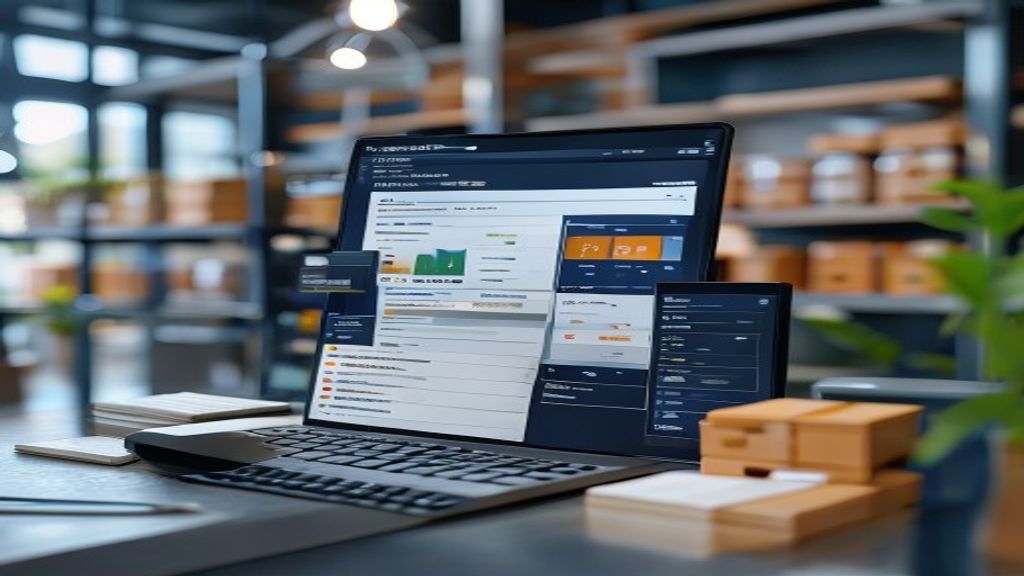
Why the Wrong Inventory Count Can Sink a Small Business
You’ve probably experienced the gut‑wrench feeling of opening the backroom to discover you’re out of a best‑selling item—while the cash register flashes “out of stock.” Or you’ve watched shelves overflow with products that barely move, tying up cash you could be using elsewhere. Those moments aren’t just inconvenient; they’re money‑leaking mistakes that many small businesses make simply because they lack a clear view of what’s really on hand.
A modern inventory‑tracking system turns that guesswork into a predictable, data‑driven routine. It lets you see every unit the moment it arrives, moves, or returns, and it warns you before you either over‑stock or run dry. Below, we dive into the first two ways this technology saves you from costly stock errors.
1. Stop Over‑Ordering: How Real‑Time Stock Alerts Keep Your Shelves Balanced
The problem is timing, not talent. Most owners rely on weekly or monthly counts, which means a sudden surge in sales can leave a “paper‑based” reorder schedule hopelessly out of sync. By the time you notice the dip, the supplier’s lead time may already be in motion, and you’ll either miss sales or end up with excess inventory.
How real‑time alerts change the game
- Instant visibility – As soon as a sale registers, the software updates the on‑hand quantity. A push notification can pop up on your phone the moment a product falls below its safety threshold.
- Dynamic safety stock – Rather than a static “always keep 20 units” rule, the system can suggest a higher buffer for fast‑moving items during a promotion and lower it when demand eases.
- Supplier coordination – Some platforms let you send an automated reorder request directly to your vendor the instant a product hits its reorder point, cutting the lag between need and restock.
Real‑world snapshot
Imagine a boutique that sells handcrafted candles. In October, a local craft fair drives sales up 40 % over the previous month. With real‑time alerts, the owner sees the inventory drop to the predefined reorder point on the afternoon of the fair. An automatic email to the supplier is triggered, ensuring the next shipment arrives before the holiday rush, while the safety stock prevents a costly stock‑out during the peak weekend.
Why it matters: Over‑ordering ties up cash in unsold goods and inflates storage costs, while under‑ordering means missed revenue and frustrated customers. Real‑time alerts help you keep that delicate balance without constantly staring at spreadsheets.
2. Turn Data Into Decisions: Using Sales Trends to Fine‑Tune Reorder Points
Data isn’t just numbers; it tells a story. A flat reorder point set once a year ignores seasonal spikes, promotional lifts, and shifting customer preferences. By feeding actual sales history into the system, you let the data suggest more intelligent reorder thresholds.
Steps to let trends guide you
- Collect baseline sales – The software aggregates daily sales per SKU for at least 12 weeks, enough to smooth out one‑off anomalies.
- Identify patterns – Look for recurring peaks (e.g., a surge in organic skincare in January) or troughs (lower sales during summer vacations).
- Adjust reorder points – Increase the reorder quantity and safety stock ahead of predictable peaks; decrease them when the data shows a lull.
Concrete example
A small coffee shop tracks bean sales and notices a 25 % jump every time a local marathon is held. By reviewing the trend, the owner sets a higher reorder point for that week and pre‑orders an extra bag of beans. The result? No rushed orders, a smooth flow of customers, and a modest profit boost from the extra cups sold.
Why it works
- Reduced waste – Aligning orders with demand prevents excess that might expire or become obsolete.
- Improved cash flow – Buying only what you need frees up capital for marketing or equipment upgrades.
- Customer satisfaction – Consistently stocked shelves mean fewer “sorry, we’re out of that” moments, building trust with repeat buyers.
When you let sales trends speak, you move from reactive ordering to proactive planning—turning raw data into a competitive edge that’s especially vital for small businesses operating on thin margins.
3. Cut the Manual Headaches: Automating SKU Scans with Mobile Barcodes
Imagine your sales floor as a rapid‑fire game of “guess‑the‑stock.” Every time a clerk pulls a product off the shelf, they have to remember the SKU, jot it down, and later reconcile the numbers. The moment a barcode scanner joins the crew, that mental juggling disappears.
- Grab‑and‑go scanning – Modern inventory apps let you turn any smartphone into a barcode reader. A quick swipe across a label instantly updates the central database, eliminating the lag between sale and entry.
- Batch verification – Instead of counting each item one by one, staff can walk the aisles with a tablet, scan entire pallets, and watch quantities adjust in real time. The software flags mismatches—say a case of canned soup that shows fewer units than expected—so you can investigate on the spot.
- Error‑proof re‑stocking – When the system knows the exact location of every SKU, it can generate a pick‑list that the receiving team follows with a scan. If the scanner reads a different barcode than the list, the app alerts the user before the item is shelved, preventing misplaced inventory.
Why does this matter for a small business? First, it frees up hours that would otherwise be spent tallying spreadsheets. Second, it reduces human error, which—according to many shop owners—can account for up to 20 % of inventory discrepancies. Finally, when you pair automated SKU scanning with the best CRM for a small business, the same customer profile you use for marketing can instantly show which products are selling fastest, guiding future ordering decisions without extra data entry.
4. Protect Your Profit Margins: Spotting Shrinkage Before It Hurts Your Bottom Line
Shrinkage is the silent thief that gnaws at a retailer’s profitability—whether it’s pilferage, administrative slip‑ups, or spoilage that goes unnoticed. The good news is that real‑time inventory tracking software can surface the warning signs before the losses become significant.
- Variance alerts – The system compares the recorded stock level with the physical count after each shift. If a high‑value item like premium olive oil shows a 5 % shortfall repeatedly, the software sends a low‑stock alert that also notes the discrepancy pattern.
- Employee activity logs – Many platforms log which user performed each adjustment. When an unusually high number of adjustments comes from a single employee, managers receive a discreet notification, prompting a quick audit rather than an accusatory approach.
- Expiration tracking – For perishable goods, the software tags each batch with a sell‑by date. As items approach the deadline, the system suggests discount promotions or transfers to another location, turning potential waste into revenue.
A practical scenario illustrates the payoff: a boutique clothing store noticed a steady 2 % loss in denim jeans over three months. By enabling batch scanning and reviewing the variance alerts, they discovered that a faulty barcode on a popular style caused the system to treat each pair as a new SKU, inflating the apparent inventory. After fixing the label and re‑training staff, the shrinkage vanished, and the store reclaimed roughly $1,200 in monthly profit.
Beyond the numbers, controlling shrinkage builds confidence with suppliers—who see a tighter inventory audit trail—and with customers, who experience fewer out‑of‑stock moments. When you integrate this vigilance with the best CRM for a small business, you can also cross‑reference shrinkage data with sales trends, pinpointing whether a loss is seasonal, employee‑related, or linked to a specific product line. In short, early detection turns a potential profit drain into an opportunity for tighter operations and healthier margins.
By harnessing the power of inventory tracking software, small businesses can break free from the cycle of stock mistakes, missed opportunities, and wasted resources. As you move forward with implementing the right solution for your business, remember that the goal is not just to manage inventory, but to unlock a more streamlined, data-driven approach to operations. By automating tasks, gaining real-time insights, and making informed decisions, you’ll be better equipped to drive growth, protect profit margins, and build a more resilient business. With the right tools and mindset, you can turn inventory management into a strategic advantage, freeing up more time to focus on what matters most – growing your business and serving your customers. Now, take the first step towards transforming your inventory management, and discover the difference it can make for your business’s future.
Also Read: Best Program for Invoices: Compare Features, Pricing, and Providers